Prompt Builder
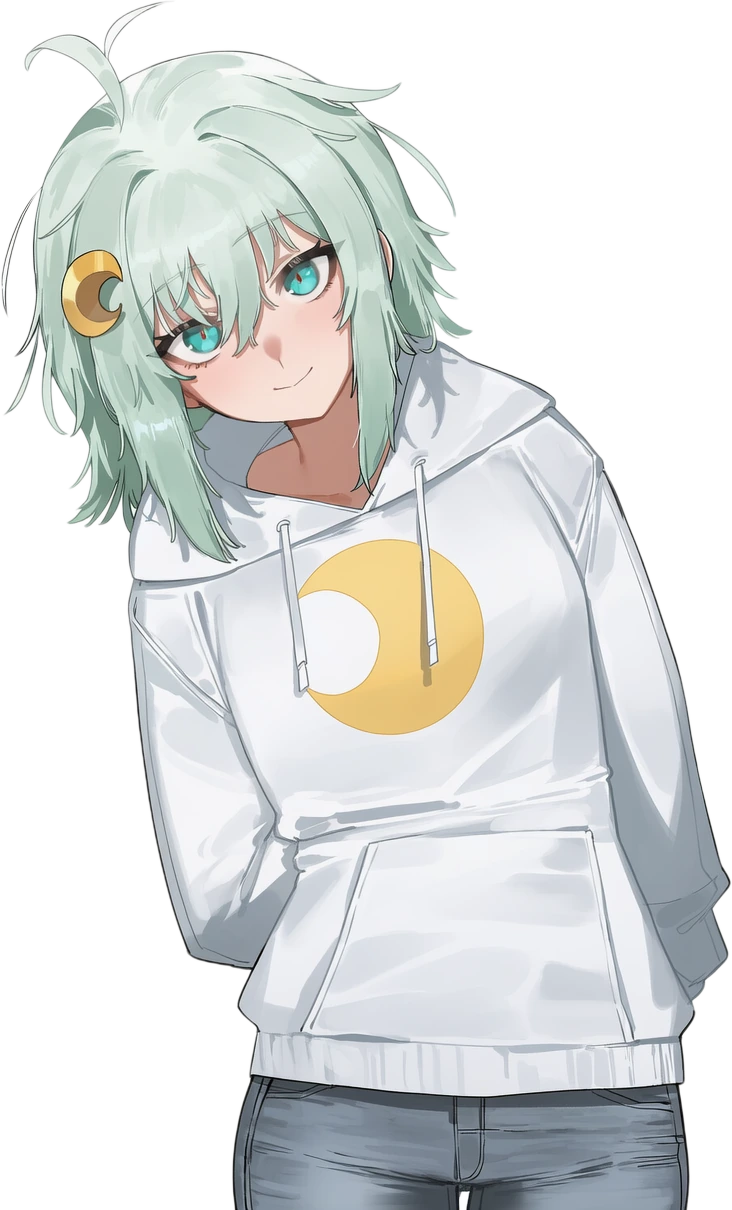
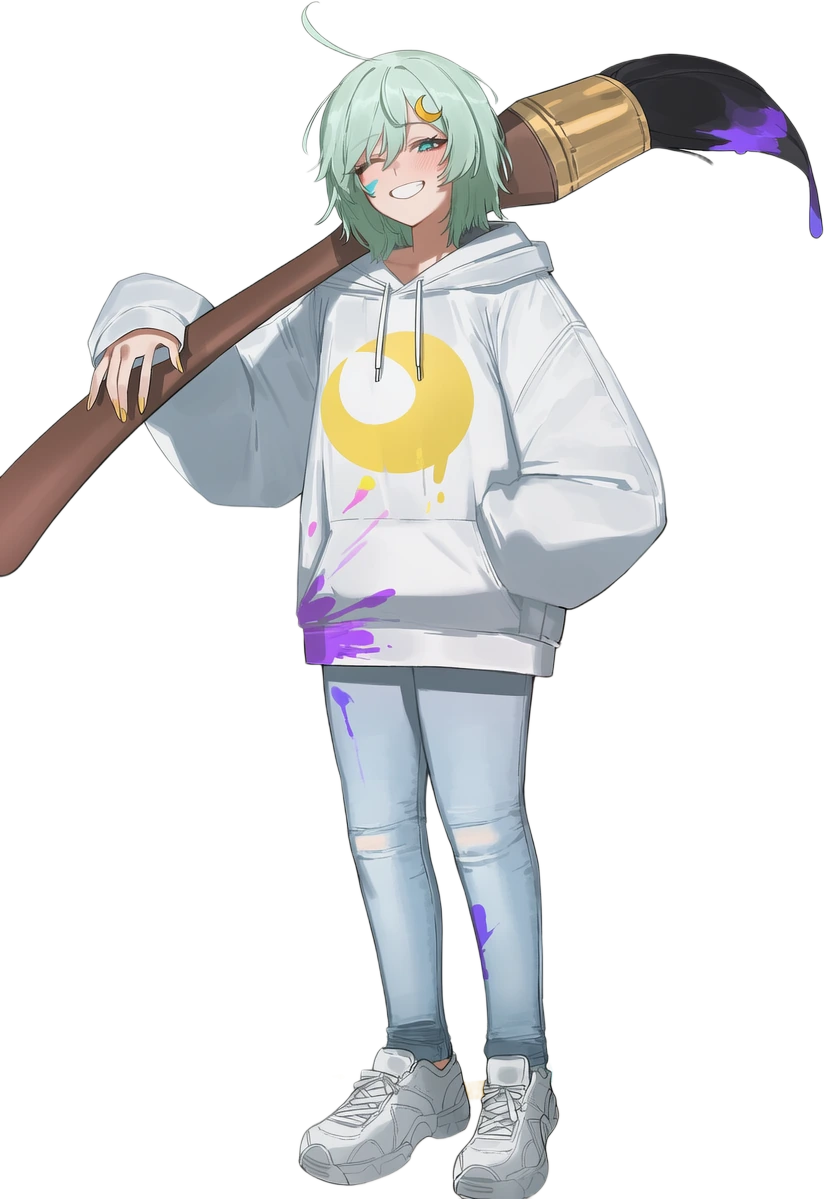
Try a sample1girl, mint hair, crescent hair ornament, hoodie, smile
The tools are for members. Joining is free and takes one click with Discord.
To sign you in we keep your Discord account number, name and profile picture. No e-mail, no tracking.

PELUNEStudio
20 free tools for AI art, manga & doujinshi.
Build the prompt. Letter the page. Get your pictures ready to post.
Open Prompt BuilderFree to use with a one-click Discord sign-in. Browse first, if you like.
Build NovelAI prompts from Danbooru and e621 tags. Keep the ones you want.
1girl, mint hair, crescent hair ornament, hoodie, smile
Tap a tag to add it or take it out.
A few tags. Plenty to work with.
Build your promptSame prompt. Same seed. Only the tag changes. See the difference for yourself.
These are real Tag Gallery samples. Pick a category to compare another pair.
Explore Tag GallerySpeech bubbles and sound effects for your manga and doujin pages.
Drag the bubble, or focus it and use the arrow keys. Try another line below.
A picture can carry more than pixels. Remove EXIF, location and AI prompt data before you share it.
Open MetadataOr drop an image anywhere on this page to send it to Metadata.
20 free browser tools. Most run on your device. Choose the job you came here for.
Bring your art, a question, or a bug you found. The Pelune community is on Discord.
Using a tool needs a free, one-click Discord sign-in. Browsing is open.
or click to browse files
PNG / JPG / WebP / BMP / TIFF / GIF
( ´ ▽ ` )ノMetadata shows what a picture carries before you share it and removes it: EXIF camera data, location, and the prompt, seed and settings that AI image generators write into PNG files. It cleans many images at once in JPEG, PNG or WebP.
Add one picture or a whole batch. What each one carries is shown before anything is removed.
Pick JPEG, PNG or WebP and the quality, keep the original file names if you like, or add your own title, author and copyright with Bulk Edit.
Download everything as a zip or separately. Copies of the same picture are left out automatically.
EXIF and camera data, GPS location, PNG text with prompts, seeds and generation settings, and the hidden copy some generators store inside the picture itself.
No. Images are cleaned on our server one at a time and not kept after processing.
Yes. Export Metadata (.txt) saves everything that was found as a text file.
AI finds what to cover and blurs it
PNG / JPG / WebP / BMP / TIFF / GIF
( •̀ω•́ )σCensor finds the areas Pixiv asks you to cover and covers them with a mosaic, a blur or a solid bar that follows the shape. It handles up to 20 pictures per run. Detection can miss things, so check every result before you post.
Add up to 20 pictures at once. When many people use it, you wait in one line and it carries on by itself.
Pick Mosaic, Blur or Solid black, the strength, Minimal (Pixiv standard) or Full (strictest), and a shape that follows the area or a simple one.
Look at every result, then download them as a zip or separately.
No. Detection can miss things. When nothing was covered it says Nothing found, and Check manually when it saw something it could not confirm. Always check before posting.
Minimal covers what Pixiv requires. Full is the strictest setting and covers more.
No. Pictures are processed on our server and not kept after processing.
AI scans for anatomy errors & background artifacts
PNG / JPG / WebP / BMP / TIFF / GIF
( •̀ω•́ )σQuality Check looks at each picture for anatomy mistakes such as extra fingers and for broken background details, and tells you what it found. You can describe the defects you care about yourself.
Quality Check uses the free API key you add in Settings. The panel shows where to get one.
Add the pictures you want to check and, if you like, write which defects to look for.
Each result appears as it arrives, so you can fix or regenerate the weak ones.
Straight to the service that belongs to the key you added, for the check only.
Not on our side. It uses your own free key, which has its own daily limit.
Yes. Save the defects you look for as a preset and load it next time.
Identical and near-identical images are grouped. Nothing is uploaded.
PNG / JPG / WebP / BMP / GIF
Checked on your device. Your images are not uploaded.
Duplicates groups pictures that are the same or almost the same, such as resized or re-saved copies, so you can keep the best one. Everything is checked on your device.
Add a folder full of pictures at once.
Move the slider to decide how alike two pictures must be to count as copies.
Pick which picture to keep in each group and download only the kept ones.
No. They are compared in your browser.
Yes. Near-identical pictures, such as resized or re-saved versions, are grouped too.
No. It only downloads the pictures you keep. Your original files stay where they are.
PNG / JPG / WebP
The mark survives saving as PNG or JPEG at the same size. Resizing, cropping, screenshots and very busy, heavily hatched pictures can remove it. It helps prove a picture is yours; it does not stop copying.
Done on your device. Your image is not uploaded.
Signature hides your name or handle inside a picture as an invisible mark, and checks any picture for one later. It helps show that a picture is yours. Everything runs on your device.
Up to 32 characters: your name, handle or a short note.
Drop a picture of at least about 300 pixels and download the signed PNG.
Switch to Check an image and drop a picture to read its signature.
Yes, when the picture is saved as PNG or JPEG at the same size.
Resizing, cropping, screenshots and very busy, heavily hatched pictures can remove it.
No. It helps prove a picture is yours. For a visible mark, use Watermark.
PNG / JPG / WebP
Each image goes through the steps you ticked, in order. Images are processed on our server one at a time and are not kept.
Publish Prep runs the steps you would do by hand before posting: it removes metadata, renames files, leaves out duplicate copies, adds your watermark and resizes to the limit of the platform you post on.
Choose Pixiv, X (Twitter), Fanbox, a custom size or keep the size.
Metadata is always removed. Add a watermark, rename files to image_1, image_2 and leave out copies as you like.
Drop your pictures, press Prepare, then download them all or one by one.
No. Resizing only shrinks pictures that are over the platform limit. It never enlarges.
File names like my OC final can say more than you want. Remove turns them into image_1, image_2 and so on.
No. They are processed on our server one at a time and not kept. Copies are found on your device.
or click to browse files
PNG / JPG / WebP / BMP / TIFF / GIF
( ´ ω ` )♡Watermark puts your name or logo on a whole batch of pictures in one go. Choose where it goes, how see-through and how big it is, its colour, and whether it repeats across the picture.
Add one picture or a whole batch.
Type your text or pick a logo, then choose position, opacity, size, colour and tiling.
Apply the watermark and download everything as a zip or separately.
A corner mark can be cropped or painted out. Tile repeats it across the picture, which makes that much harder.
Yes. Switch Mode to Image/Logo, choose your file and set its scale and opacity.
Yes. Signature hides your name inside the picture without changing how it looks.
Increase resolution without changing content
PNG / JPG / WebP / BMP / TIFF / GIF
( ⸝⸝´꒳`⸝⸝)♡With your graphics card allowed, AI upscaling runs on this device in about a second per picture. Nothing is uploaded.
Upscale makes pictures bigger and sharper with AI models made for photos and for anime and illustrations. Auto picks the right one for each picture. If you allow your graphics card, it runs on your own device in about a second per picture.
PNG, JPG, WebP and more, one or many at once.
Pick 2x or 4x, then AI Auto, AI Photo, AI Anime & illustration, or Fast (no AI).
Compare before and after, then download the results as a zip.
With your graphics card allowed, AI upscaling runs on your device and nothing is uploaded. Otherwise it runs on our server and the picture is not kept.
Auto is right for most pictures. Choose Anime & illustration for line art and flat colours, Photo for photographs, and Fast (no AI) when you only need a bigger size quickly.
Very large pictures can be too big at that scale. Try 2x or a smaller picture.
Anime, NovelAI and booru images, or realistic pictures
PNG / JPG / WebP / BMP / TIFF
Realistic pictures use a heavier model: about a minute per picture, and big photos are cleaned at a smaller size first.
Auto reads how damaged each picture is: a clean PNG gets a light touch, a blurry JPEG a strong clean-up.
Enhance cleans anime and illustration pictures with an AI model made for drawn art. It removes JPEG blocks, colour fuzz and ringing around lines, and can double the size at the same time. It does not redraw the picture, so faces, hands and details stay exactly as they were.
PNG, JPG and WebP, up to ten at a time.
Auto chooses the strength from how damaged each picture is. Same size or 2×.
Slide between before and after, then download one picture or all of them.
No. NovelAI Enhance generates the picture again from your prompt and can change it. This tool only cleans what is there, costs no Anlas and needs no prompt.
It is sent to our server, processed in memory and not stored. Only the result comes back.
Yes. Choose Realistic, or leave Auto on and it picks the photo model by itself. Realistic pictures take about a minute each.
AI-powered background removal
PNG / JPG / WebP / BMP / TIFF
( •̀ ω •́ )✧Blur, pixelate or cover every face. Review each one before you download.
PNG / JPG / WebP / BMP
Face Blur finds faces and hides them with a blur, pixels, a solid box or an emoji. Detection runs on your own device and the photo is never uploaded.
Add PNG, JPG, WebP or BMP photos. Faces are found right away.
Choose Blur, Pixelate, Solid or Emoji, the strength and how much area to cover. Click a box to keep that face visible.
Save the photos with the faces hidden.
No. Detection and blurring both run in your browser.
Raise Sensitivity, or switch Detector to ADetailer, which can also find hands or whole people.
Yes. Click its box to keep it, click again to hide it.
Reduce file size while keeping quality
PNG / JPG / WebP / BMP / TIFF / GIF
(ノ◕ヮ◕)ノ*:・゚✧Compress shrinks the file size of many images at once. Choose the format, the quality and a maximum width and height, and each result shows how much smaller it got.
Add one picture or a whole batch.
Pick JPEG, WebP or PNG, the quality and, if you like, a maximum width and height.
Download everything as a zip or separately.
WebP is usually the smallest at the same quality. JPEG works everywhere. PNG keeps every pixel but is larger.
A little, depending on the quality you choose. Around 80 to 90 is hard to tell apart from the original for most pictures.
No. They are compressed on our server and not kept after processing.
Get dominant color palette with HEX/RGB/HSL
PNG / JPG / WebP / BMP / TIFF
( ˘ ³˘)♥Palette finds the main colours of a picture and gives them to you as HEX, RGB and HSL values, ready to paste into your drawing app or your prompt.
PNG, JPG, WebP, BMP or TIFF.
Pick 4, 6, 8, 10 or 12 colours.
Extract the palette and click any colour to copy its code.
Every colour comes as HEX, RGB and HSL.
Four to six give the main mood of a picture. Ten or twelve also catch smaller accents.
No. It is read on our server and not kept after processing.
Combine multiple images or convert a video into animated GIF
PNG / JPG / WebP / BMP / TIFF / GIF / MP4 / MOV / AVI / WebM
~(˘▾˘~)Preset sizes for Instagram, Twitter, YouTube & more
PNG / JPG / WebP / BMP / TIFF
(◕‿◕)♡Social Resize fits a picture to the exact size each platform wants, from Instagram stories to YouTube banners, or to any size you type.
PNG, JPG, WebP, BMP or TIFF.
Choose a preset for Instagram, X (Twitter), Facebook, YouTube, LinkedIn or Pinterest, or a custom width and height.
Choose Cover, Contain or Stretch, a background colour and the format, then resize and download.
Cover fills the whole frame and trims what does not fit. Contain keeps the whole picture and fills the empty space with your background colour.
Only if you choose Stretch. Cover and Contain keep the proportions.
Instagram post, story, landscape and portrait, X post and header, Facebook post, cover and story, YouTube thumbnail and banner, LinkedIn post and cover, and Pinterest pin.
Supports PNG, JPG, WebP, BMP, TIFF
PNG / JPG / WebP / BMP / TIFF
✂️Crop & Rotate trims a picture freely or to a fixed ratio, turns it and mirrors it, then saves it as PNG, JPEG or WebP. It all happens in your browser.
PNG, JPG, WebP, BMP or TIFF.
Choose Free or a ratio such as 1:1, 4:5 or 16:9, set the rotation and flip it if needed.
Pick PNG, JPEG or WebP and download the result.
Free, 1:1, 4:3, 3:4, 3:2, 2:3, 16:9, 9:16, 5:4 and 4:5.
No. Cropping and rotating run in your browser.
Use Social Resize for a fixed width and height or a platform preset.
Put them in order, add bubbles from 24 styles with manga and doujin fonts, save every page at full size
PNG / JPG / WebP / BMP
Click an effect to put it on the page, then drag it into place. A corner resizes it; turn, mirror or recolour it on the right.
Click a style to add it, then drag it into place. Drag the dot at the tip toward the speaker, a corner to resize; drop one bubble on another to join them.
Speech Bubbles letters up to 20 pages of a comic at once: 24 bubble styles, horizontal or vertical text, 19 lettering fonts and 79 hand-lettered sound effects. Everything runs in your browser and each page is saved at full size.
Drop up to 20 pictures and drag them into reading order.
Pick a bubble style, type the line and drag the tail to the speaker. Drop one bubble on another to join them, or switch to Sound effects.
Download each page at full size, one by one or as a numbered zip.
Yes. Vertical text runs in columns from right to left, and short runs of letters or numbers stay upright in one cell.
Yes. Choose Use a font from your computer, or pick one of the 19 built-in lettering fonts.
No. The pages are lettered in your browser and saved straight to your device.
Brightness, contrast, saturation & more
PNG / JPG / WebP / BMP / TIFF
🎨Color Adjust changes the saturation of an image, along with brightness, contrast, hue, sepia and blur, while you watch, then saves the result. It all happens in your browser.
PNG, JPG, WebP, BMP or TIFF.
Change brightness, contrast, saturation, hue, sepia and blur and watch the preview.
Save the adjusted picture, or press Reset to start again.
No. The adjustments run in your browser.
Yes. Reset puts every slider back to the start.
Yes. Download it and drop both into Compare to slide between them.
Select 2-9 images
PNG / JPG / WebP / BMP / TIFF
🖼️Collage puts several pictures into one image, side by side or in a grid, with the gap, background colour and rounded corners you choose. It all happens in your browser.
They fill the layout in the order you add them.
Two side by side, two stacked, three in a row, or a 2x2, 3x2 or 3x3 grid. Set the gap, background and corner radius.
Create the collage and save it.
From 2 to 9, depending on the layout.
No. The collage is made in your browser.
Yes. Drop the finished collage into Social Resize and pick an Instagram size.
Drop image here
Drop image here
Compare puts a before and an after picture on top of each other so you can slide between them and spot every difference, from an edit to an upscale.
The original, on the left.
The edited version, on the right.
Drag the divider to see where the two differ.
No. Both pictures stay in your browser.
It works best when they do, for example an original and its edited copy.
Checking an upscale, a colour change or a fix before you post the new version.
Paint over objects to remove them
PNG / JPG / WebP / BMP / TIFF
🧹Danbooru did not let this page read the post. Open the post
Drop a picture and get its tags, read the same way booru sites tag images. Then add them to your prompt.
Optional. With your own free OpenRouter key, an AI looks at the picture and writes the pose, position and camera angle for your prompt, as a sentence or as NovelAI / Stable Diffusion tags. It also checks how many people there are and whether they are dressed, and corrects those tags above.
Your key stays in this tab only and is not saved: reloading the page clears it. While it is set, the picture goes from your browser straight to OpenRouter, so their policy applies. Free models allow about 50 requests a day. Get a free key
Your free Groq key (the same one as in Settings). It splits in a few seconds. The key stays in this tab only; while it is set, the picture goes to Groq, so their policy applies. Get a free key
A text prompt only gets close to a pose. To keep it exactly, give the picture itself to the generator and use the prompt below with it.
Like NovelAI: each character has its own prompt and its own undesired content. Up to 6.
The card holds this base prompt, undesired content, characters and the card settings below. Drop it on NovelAI and choose "Import Metadata". Copy, download and cards fill in your {variables} and [wildcards].
A prompt card is a PNG that carries your prompt inside it. Drop it on NovelAI and choose "Import Metadata", or drop cards here to turn them into a wildcard pack.
Medium effort: NovelAI fixes Steps (14) and the sampler and turns CFG rescale off. It costs fewer Anlas and less of the Opus allowance.
In NovelAI, tick "Settings" and "Seed" in the import window, otherwise only the prompt is taken.
Prepare rolls your [wildcards] once per prompt. Check the list, change what you want, then take them to NovelAI one by one or as cards.
Cards say "NovelAI" in their Software field, which NovelAI requires to import them, and "Pelune Studio prompt card" in their title. Their Source names the model (V5 Full, High or Medium effort) so NovelAI opens them with it. They carry no NovelAI signature.
Your profiles, variables, wildcards and blacklist are stored in this browser on your own device. They are never sent to us, so we cannot see them or restore them.
They are deleted if you clear this site's data or your browsing data, use a private window, or switch to another browser or device.
To keep them safe, use Export now and then. Import backup brings them back.
Uses your own Groq key from Settings. The prompt goes straight from this page to Groq. Set key
Runs an AI model on your own graphics card. Nothing is sent anywhere and no key is needed. Download it once below; after that it works without downloading again.
Downloaded straight from these public sources, not from our server:
Stored only in this browser, one time. Later visits load it from your disk without downloading again. Clearing site data removes it. Needs a graphics card with about 4 GB of memory.
Prompt Builder turns booru tags into prompts for NovelAI and other tag-based image generators. The Danbooru and e621 tag lists are built in and suggest tags as you type, and everything you write stays in this browser.
Type in Base prompt and pick from the suggestions, import the tags of a Danbooru or e621 post by its link, or drop a picture into Image to prompt to read its tags.
Give up to 6 characters their own prompt and undesired content, reuse parts with {variables} and [wildcards], and list tags you never want in the blacklist.
Copy the prompt, or save it as a prompt card: a PNG you drop on NovelAI and bring in with Import Metadata, settings and seed included.
No. Profiles, variables, wildcards and the blacklist are kept in this browser on your device, so we cannot see them. Use Export now and then to keep a backup.
Yes. The tags are the same booru tags. Turn on Escape ( ) to write brackets the way Stable Diffusion WebUI expects them.
Yes. Pixiv tags suggests the Japanese names of your Danbooru tags and copies them in one click. Check them before you post.
See what a tag does before you use it. Every image uses the same prompt and seed; only the tag changes.
Loading…
Tag Gallery shows one example picture per tag for over 1,400 NovelAI artist tags, plus characters, clothes, faces, hair, light, places and poses. Every picture uses the same prompt and seed, so the only thing that changes is the tag.
Open Artists, Characters, Clothes, Hair, Poses or another gallery and filter by name.
Scroll through the pictures side by side, or sort by most liked or newest first.
Copy a tag, or add it to Prompt Builder in one click and keep building your prompt there.
On purpose. They share one prompt and one seed, so the difference you see comes from the tag alone.
No. Browsing, copying tags and adding them to Prompt Builder work without signing in. Voting needs a free Discord sign-in.
It points the same way, but your other tags, the model and the seed change the result. Treat the gallery as a guide, not a promise.
Suggestions and bug reports, in the open. Anyone can post, everyone can read. Finished items stay on the list with a tick — crossed out, never deleted.
Processed images will appear here
History keeps a thumbnail of every picture you processed in this tab, so you can go back and compare it with the original at full screen.
Every picture you process appears here automatically.
Click a thumbnail to compare before and after at full screen.
Press Clear History when you are done, or simply close the tab.
Only in this browser tab. It is never sent to us.
It lasts only while the tab is open. Closing or reloading the tab clears it.
Open it to compare. Download results from the tool that made them.
Last updated: 20 October 2026
Pelune Studio (pelune.studio) is a set of free image tools run by an independent developer. This page explains what we collect, why, how long we keep it, who else is involved and what you can do about it. Questions or requests: ask us on our Discord server.
Most tools run entirely on your device and your pictures never leave it. Some tools (for example Censor, Upscale, Enhance and Image to prompt) send the picture to our server. It is processed and sent back in the same request and is not kept. Anything a crash leaves behind is deleted within an hour.
The pictures you load and your history live only in the memory of the open tab. Prompt Builder profiles, your settings and your music choice are saved in your own browser (local storage) and are not sent to us.
You can look around without an account; using a tool, posting or voting needs a free sign-in with Discord or Google. From them we receive only your account number, display name and profile picture. We never receive your e-mail address or password.
We keep what you add yourself: your handle, bio, links, banner, posts and pictures, likes, reposts and follows (visible to signed-in people). We also note which tools your account used and when it last used them, never the files. Your sign-in is a random token kept in your browser that expires after 30 days.
You can delete your account at any time from your profile. Everything tied to it, pictures included, is deleted with it.
When you sign in we store a scrambled code made from your IP address, linked to your account, for 90 days. It is a keyed one-way code: the address itself is never stored and cannot be read back from it. It lets us stop ban evasion and multiple accounts. Codes on the ban list are kept until the ban is lifted. Votes on the ideas board use a similar one-way code so each browser counts once.
We count how often each tool is used per day (plain totals, nothing about who). While a page is open it tells us which tool it shows so we can show how many people are online; that is kept in memory for about a minute.
We use no cookies, no tracking, no third-party analytics and no advertising. Access logging is switched off on our server. Error logs can still record an IP address when a request genuinely fails; they are rotated automatically.
Our assistant, Yunyun-chan, reads the words of each new post or board item to keep the site safe. What she hides or flags stays with the post and is removed with it; a short note of each decision is kept so the site owner can review it. The site owner can see account names, handles and activity in order to run the site.
If you join our Discord server, our bot reads messages in the channels where it works, to answer and to moderate. A question you ask it may be passed to an AI language service to write the answer. Discord itself is covered by Discord’s privacy policy.
We use Cloudflare to deliver the website and protect it from attacks, Oracle Cloud to run our server, and Discord and Google for sign-in. They may process data in countries other than yours, only to run Pelune Studio. We do not sell or rent personal data and we show no ads.
Where the law asks for one (for example the GDPR): we process account data to provide the service you asked for; abuse codes, security logs and usage totals on the basis of our legitimate interest in keeping the site safe and working; and the optional services above only on your choice.
You can ask to see, correct, export or delete your data, and you can object to how we use it. Deleting your account is available in your profile; for anything else message us on our Discord server. We answer within 30 days. You may also complain to the data protection authority where you live.
You must be at least 13 years old, or the minimum age in your country if it is higher, to create an account. Areas marked 18+ are for adults only.
If this policy changes, the date at the top changes too, and important changes are announced in What’s New. Contact: our Discord server.
See also the Terms of Use.
Last updated: 20 October 2026
These terms apply to pelune.studio and our Discord server, run by an independent developer (“we”). By using Pelune Studio you agree to them. Questions: ask us on our Discord server.
Pelune Studio offers free image tools. They are provided as they are, without any warranty. Automatic results, such as censoring, detection, tags and prompts, can be wrong or incomplete. Always check the result before you publish it. You are responsible for following the rules of the sites where you post (for example Pixiv, X or Fanbox).
One account per person. Keep your sign-in to yourself; you are responsible for what is done with your account. You can delete it at any time from your profile.
What you post stays yours. You allow us to store it and show it on Pelune Studio so the service can work; this ends when you delete it. Only post work you have the right to share, and name the artist when it is not yours.
We may hide or remove content and suspend or ban accounts that break these terms, without notice when needed. If you think we got it wrong, write to us.
To report content, including copyright claims, message us on our Discord server with a link and the reason. We review reports promptly.
Some features use other services, such as NovelAI, Groq, OpenRouter, Discord or YouTube. Their own terms apply to them, and we are not responsible for them.
As far as the law allows, we are not liable for any loss or damage that comes from using Pelune Studio, including results you publish and data lost from your browser. Keep your own copies. Nothing here limits rights that the consumer law of your country does not allow to be limited.
We may change, pause or end tools at any time. If these terms change, the date at the top changes too, and important changes are announced in What’s New.
See also the Privacy Policy.

Tick the images you want, then save them as separate files or as one .zip. Any single one can also be saved with its own button.